How to Track Job Applications Without Losing Your Mind
Job searching can feel overwhelming, fast!
One day you apply to two roles.
The next week, it’s ten.
Then suddenly you’re asking yourself:
- Did I already apply to this job?
- Which version of my resume did I send?
- Was I supposed to follow up?
If this sounds familiar, you’re not alone. Most job seekers don’t struggle with applying—they struggle with keeping track of everything.
The good news? There’s a simple way to stay organized, reduce stress, and actually improve your chances of getting hired.
The Real Problem Isn’t Applying—It’s Managing
Let’s be honest: applying to jobs is only one part of the process.
A successful job search also includes:
- Tracking where you applied
- Customizing your resume for each role
- Preparing for interviews
- Following up at the right time
Without a system, things fall through the cracks—and that can cost you opportunities.
Why “Just Use a Spreadsheet” Doesn’t Work (for Most People)
A lot of people start with a spreadsheet.
And while that works… for a while, it usually becomes:
- Messy
- Outdated
- Easy to forget to update
Spreadsheets don’t remind you to follow up.
They don’t help you tailor resumes.
And they don’t make the process feel any less overwhelming.
What Actually Works: A Simple Job Tracking System
Instead of trying to remember everything, create a system that does the thinking for you.
Here’s a simple structure that works:
1. Track Every Application
For each job, keep:
- Company name
- Role
- Date applied
- Status (applied, interview, rejected, etc.)
2. Save the Job Description
Job postings disappear quickly.
Save them so you can:
- Prepare for interviews
- Match your experience to the role
- Reference key requirements later
3. Tailor Your Resume (and Track It)
Sending the same resume everywhere reduces your chances.
Keep track of:
- Which version you sent
- What you customized
- Keywords used
4. Add Notes for Each Job
After applying or interviewing, write down:
- What stood out about the role
- Questions you want to ask
- Feedback from interviews
5. Set Follow-Up Reminders
Following up is one of the most overlooked steps.
A simple reminder 7–10 days later can:
- Show initiative
- Keep you top of mind
- Increase your chances of getting a response
The Easier Way: Use a Tool Designed for This
You can build all of this manually.
Or—you can use a tool that does it for you.
That’s where tools like Huntr come in.
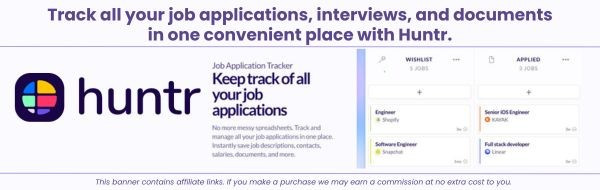
Huntr is designed specifically for job seekers to:
- Track applications in one place
- Save job descriptions automatically
- Organize resumes and notes
- Manage your entire job search visually
Instead of juggling spreadsheets and documents, everything lives in one simple dashboard.
👉 Try Huntr here: https://huntr.co/?via=ableavailable

What This Looks Like in Real Life
Imagine this:
Instead of wondering:
“Did I apply to that role?”
You open one dashboard and see:
- All your applications
- Their current status
- What you need to do next
No guessing. No stress. No missed opportunities.
Final Thoughts
A job search doesn’t have to feel chaotic.
When you have a system:
- You stay organized
- You feel more in control
- You show up stronger in applications and interviews
Whether you use a simple method or a tool like Huntr, the key is this:
👉 Don’t rely on memory. Build a system.
Because the more organized you are, the more confident—and successful—you’ll be.